
Dealing with different date styles
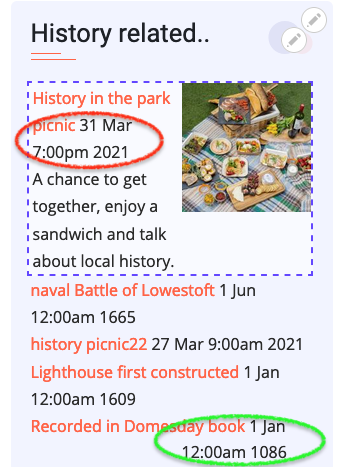
For simplicity we use the same 'add content' wether we are adding a 'Picnic next week' or an important historical event. This can be easily dealt with for the Timeline by simply filtering out all events AFTER year 2000.
The guiding principle of the site is that 99% of the time organisation of the site is automatic and just works. However as can be seen opposite you then end up with an unnecessary year showing for next week's picnic and an unhelpful 'day, month time' for a historical event. We could deal with this by forcing to contributor to choose from two date fields [date future] or [date history], but this makes our system less friendly so we should solve it on the coding side.
So within the Drupal View we show the date in two fields
field_date [d mm time]
field_date_1 [yy]
we then combine and wrap them in separate spans
<span class="ddmm">{{ field_date }}</span><span class="yy"> {{ field_date_1 }}</span>
We then add a class to the view which is the date year and then add this to the style sheet
.ddmm {display:none;}
._021 .ddmm, ._022 .ddmm, ._023 .ddmm {display:inline-block;}
._021 .yy, ._022 .yy, ._023 .yy {display:none;}
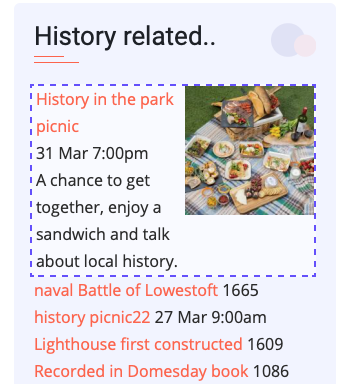
This starts by hiding 'day, month time' by default, shows it if it is a future event, but in that case hides the year (which is unnecessary. the result can be seen in the second image
Add new comment